The global currency markets represent the largest financial marketplace on earth. With over $5 trillion traded every single day, it operates around the clock. This creates significant opportunities for those just starting out.
Staying connected to constantly shifting exchange rates requires the right digital tools. Modern mobile software delivers real-time market updates, advanced analytics, and customizable alerts. Investors can react instantly to price movements from anywhere.
Terms like leverage, pips, and spreads can feel overwhelming at first. The right platforms for newcomers cut through this complexity. They offer intuitive user interfaces and practice accounts with virtual funds.
This guide helps you compare multiple services. You will learn to understand chart setups and evaluate execution quality. The goal is to choose a platform that matches your personal learning pace and risk tolerance.
Today’s top options provide powerful charting tools, technical indicators, and integrated news feeds. Essential risk management features are all accessible directly from a smartphone. This empowers new market participants to engage with confidence.
What Is a Forex Trading App?
At its core, this type of application serves as a direct portal to buying and selling foreign money. It is specialized software for mobile devices and desktops. This platform puts the global currency market directly in a user’s hands.
Understanding Live Market Data and Order Execution
Quality software delivers real-time price feeds for major and minor currency pairs. Users can view live quotes, current spreads, and pip values. Immediate order execution confirmation allows for quick action on opportunities.
Various order types are available. These include market, limit, stop loss, and take profit orders. Managing open positions and margin happens from a single, streamlined interface.
Core Tools and Real-Time Alerts
Essential features empower users to analyze trends and manage risk. Core tools typically include:
- Interactive charts with multiple time frames
- Technical indicators like moving averages and RSI
- Drawing tools for trend analysis
Real-time alerts are critical. Notifications can be set for price levels, economic calendar events, and news. Reputable platforms also integrate strong security like encryption and two-factor authentication.
Most services offer a demo account with virtual funds. This allows newcomers to practice with live data safely. It helps build skills in order execution and risk management without financial exposure.
Key Features to Look For in a Mobile Forex Trading App
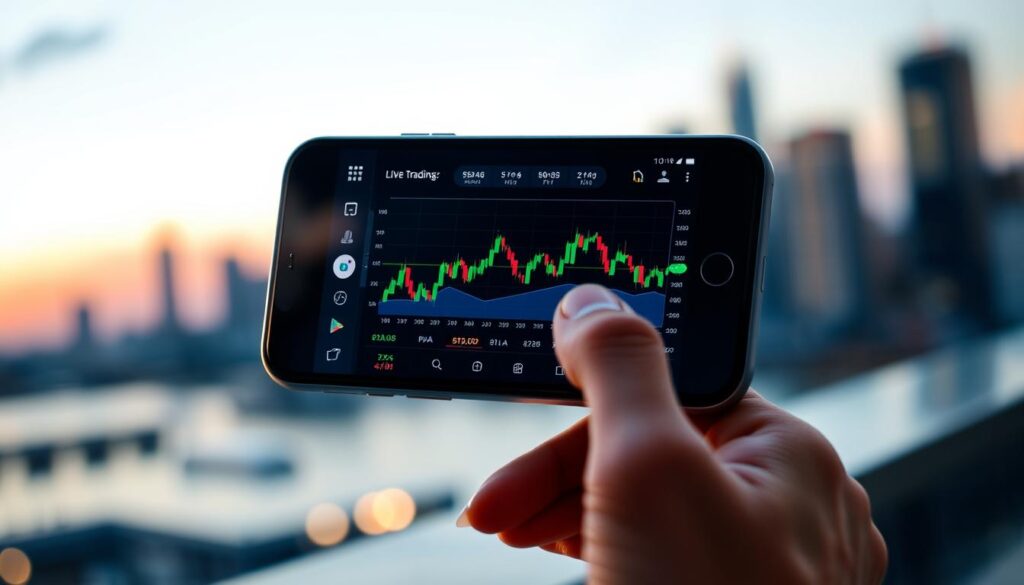
Evaluating various options requires a checklist focused on interface simplicity, chart depth, and educational support. The right software should foster skill development from day one.
User Interface, Charting, and Technical Indicators
A clean, logical layout is paramount. Menus should be intuitive with clearly labeled functions. This design reduces initial confusion.
Powerful charting capabilities are essential. Look for multiple chart types like candlestick and line. The ability to zoom across different timeframes aids analysis.
Built-in technical tools provide critical insights. Common indicators to expect include:
- Moving averages
- Relative Strength Index (RSI)
- MACD and Bollinger Bands
These features help identify potential market movements.
Demo Accounts and Educational Resources
A practice account with virtual funds is invaluable. It allows for testing strategies risk-free. Users can learn order execution without financial pressure.
Integrated learning materials accelerate progress. Quality platforms offer video tutorials, webinars, and glossaries. This support builds confidence before committing real capital.
Top Trading Platforms: MT4, MT5, and Beyond
Several dominant platforms have emerged as the go-to choices for market participants worldwide. Selecting the right one depends on your specific needs for analysis and order execution.
Comparing MetaTrader 4 and MetaTrader 5 Capabilities
MetaTrader 4 (MT4) is a reliable industry standard. It offers over 50 technical indicators and strong support for automated strategies. Many brokers provide access to this platform.
MetaTrader 5 (MT5) is an upgraded version. It provides access to more asset classes and features faster data handling. However, automated tools from MT4 are not directly compatible with this newer platform.
Alternative Platforms like cTrader, NinjaTrader, and TradingView
Other powerful software exists beyond the MetaTrader suite. cTrader is known for its quick execution and advanced order types. It suits those employing short-term strategies.
NinjaTrader focuses on deep research and simulation. Its free version allows for practice with hundreds of indicators. TradingView excels in social charting and analysis, linking to brokers for trade placement.
Essential Features for Forex Trading App Beginners

A successful start in the currency markets hinges on two pillars: account protection and disciplined risk management. New users must prioritize these elements above all else.
Security, Regulation, and Account Safety
Reputable platforms deploy multiple layers of defense. Look for SSL encryption and two-factor authentication (2FA) for login. Many services also offer biometric options like fingerprint access.
It is crucial that the software connects to a regulated broker. Key authorities include the UK’s FCA and Australia’s ASIC. These bodies enforce strict rules on client fund segregation.
This means your capital is held separately from the company’s operational funds. It provides a vital safety net. Always verify a broker’s license and compensation scheme details before depositing.
Risk Management Tools and Easy Order Types
Built-in features help control potential losses. Essential tools include stop-loss and take-profit orders. These close positions automatically at preset price levels.
A position size calculator is invaluable. It helps determine trade volume based on your account balance and risk tolerance. Always enable negative balance protection if available.
The platform should present order types in a clear, simple manner. Key options for newcomers are:
- Market orders for immediate entry
- Limit orders to specify a desired price
- Trailing stops to lock in profits as a trade moves favorably
Using these features correctly is the best way to safeguard your investment capital from the outset.
Trading on the Go: Mobile App Advantages

Unlike being tethered to a desk, mobile connectivity ensures opportunities are never missed. These platforms provide full market access from any location with an internet connection.
Participants can monitor positions and execute orders while commuting or traveling. This flexibility is a fundamental advantage of modern software.
Real-Time Alerts and Customizable Charting
Push notifications deliver instant updates directly to a user’s phone. Alerts can be set for specific price levels, economic news, or margin warnings.
This system keeps traders informed without constant screen watching. It allows for a quick reaction when volatility spikes.
Charting tools on these apps are surprisingly powerful. Users can switch timeframes, apply technical indicators, and draw directly on the touchscreen.
Charts often sync seamlessly with desktop versions. Analysis started on one device can lead to a trade executed on another.
Streamlined order entry interfaces are designed for small screens. One-tap execution buttons reduce the steps between seeing a chance and acting on it.
This speed is crucial during fast-moving sessions in the currency markets.
Practical Steps to Get Started Safely

Before committing real capital, a crucial preparatory phase exists for every new investor. This involves using simulated environments to build essential skills.
Opening a Demo Account and Practicing with Virtual Funds
The first step is simple. Select a regulated platform and complete a brief registration. Immediate access to a practice account with virtual funds is granted.
These demo accounts replicate live market conditions. They provide real-time price feeds and actual spreads. Users get the same charting tools available on live platforms.
Beginners should spend several weeks in this risk-free environment. It builds familiarity with the interface. Testing different strategies across various sessions is key.
Testing Order Execution and Managing Trades
Use the demo to master core mechanics. Practice placing different order types in a safe setting.
- Market orders for immediate fills.
- Limit orders to specify entry prices.
- Stop-loss and take-profit orders for automated management.
This phase teaches vital skills. Monitor open positions and adjust stop levels. Calculate position size based on your virtual balance.
Treat this practice seriously. Develop a written plan and maintain a trade journal. Consistent risk rules, like risking only 1-2% per trade, are essential.
Remember, demo results are experimental data. Live execution can involve slippage. The psychology of using real money is different, making the transition to small live positions a logical next step.
Cost, Spreads, and Leverage Considerations

The difference between success and struggle often lies in the details of spreads, commissions, and leverage settings. For new market participants, understanding these costs is as crucial as any analysis.
The spread is the primary cost for most transactions. It’s the gap between the buy and sell price for a currency pair. Tighter spreads mean lower costs per trade.
Brokers use different pricing models. Some offer wider spreads with no separate commission. Others provide very tight spreads but add a small, fixed fee per trade.
Evaluating Transaction Fees and Currency Conversion Costs
Beyond the spread, other fees can impact your capital. Overnight swap rates are financing charges for held positions. Inactivity or account fees may also apply.
Currency conversion costs arise when depositing funds in a different currency. These can add up quietly over time. Always check a broker’s complete fee schedule.
Leverage allows control of large positions with a small deposit. It magnifies both gains and losses. New investors should use conservative ratios, like 10:1.
This tool requires disciplined risk management. Always use stop-loss orders and careful position sizing. These practices protect your investment funds from rapid depletion.
Calculate the total round-trip cost for a typical trade. Compare this figure across different regulated platforms. Lower total costs directly support higher potential profitability in the long run.
Leveraging Advanced Tools and Automation

Sophisticated analysis and hands-free operation become accessible through expert advisors and custom scripts. These features allow market participants to scale their activity efficiently.
Using Expert Advisors and Automated Trading Features
Expert Advisors (EAs) are automated programs that execute trades based on set rules. Popular on MetaTrader platforms, they run strategies continuously without manual input.
This automation removes emotional decision-making. It enables precise timing and monitoring of multiple pairs. Opportunities outside normal hours can be captured.
Social or copy trading is another form. Platforms like eToro let users mirror the trades of experienced investors. A portion of the account automatically replicates their positions.
Always test any automated system on a demo account first. Understand its logic and risk parameters thoroughly before going live.
Integrations with VPS and Custom Script Options
A Virtual Private Server (VPS) hosts your automated strategies. It ensures they run 24/7 with minimal latency. Local internet or power issues won’t interrupt them.
Custom scripting unlocks powerful personalization. TradingView’s Pine Script and MetaTrader’s MQL language let users build unique indicators and algorithms.
These tools allow for extensive backtesting against historical data. You can fine-tune systems to specific market conditions.
Approach these advanced features gradually. Start with simple automated orders like trailing stops. Progress to testing shared EAs before considering full automation.
Final Thoughts: Choose the Right Forex App for Your Trading Journey
Your path in the financial markets is significantly shaped by the digital gateway you select at the outset.
The forex market presents substantial profit opportunities, facilitated by its immense $5+ trillion daily trading volume. To capitalize, participants need the right tools, well-developed strategies, and disciplined risk management.
Top trading apps for beginners combine intuitive design with robust demo accounts. Platforms like Exness, eToro, and Plus500 provide tight spreads, strong regulation, and educational support.
Always commence with a free demo account. Utilize virtual funds to master order execution and test strategies without financial risk. This establishes essential habits before committing real capital.
Consider your individual style. Whether you value social features, advanced charting, or execution speed, your selected software should align with your objectives.
Remember, this choice is not necessarily permanent. Many successful traders utilize multiple platforms to access varied features and competitive pricing.
Approach with realistic expectations. Consistent profitability demands time, dedicated practice, and learning from both successes and setbacks.
Your subsequent steps are clear. Research several apps, open their demo versions, and practice extensively. Then, initiate live activity with small position sizes while continually refining your methodology.